Trading Session Filter: How to Set One Up for Crypto Bots

A trading session filter is a rule that lets a strategy open trades only inside chosen hours, usually the Asian, London or New York sessions, and blocks entries outside them. It does not predict anything. It restricts a strategy to the hours where its logic has been tested, which makes execution more consistent. For crypto, which trades around the clock, the filter is a risk-control choice that you verify with data before you rely on it. This guide covers the session windows, the configuration details that cause most errors, and a test procedure for a bot such as Darkbot, where strategies are rule-based and run continuously.
TL;DR
- A session filter is a time-of-day gate on entries. A session indicator that only draws boxes on a chart is not a filter until it controls the strategy.
- Define windows in UTC or an IANA time zone such as America/New_York, and decide explicitly how daylight saving changes should affect them.
- Research on session filters found crypto showed the least session dependency of the asset classes tested, so treat the filter as a hypothesis to test, not a default.
- Test in three steps: backtest with and without the filter, include fees and slippage, then paper trade before real funds.
- Darkbot offers strategy customization, backtesting and paper trading, which are the tools this test needs.
What a trading session filter does
Many of the results for this keyword are chart indicators that shade the Asia, London and New York sessions. Those are display tools. A filter goes one step further: it takes a decision. Trendoscope’s Trade Session Filter is a typical example. It offers selectable sessions, a custom time zone and days of the week, marks in-session and out-of-session zones on the chart, and can optionally send a force-exit signal when price is outside the selected sessions.
That last feature shows the two decisions a filter can make:
- Entry gating. New positions are allowed only inside the window.
- Exit handling. Open positions are either left to their normal exit rules or closed when the window ends.
The second decision is often skipped. A strategy that opens a position at 16:50 UTC and is then left unattended through a quieter period behaves differently from one that is flat when the window closes. Decide this in advance and write it into the rule.
The main sessions and their hours in UTC
Sessions come from foreign exchange, where liquidity moves around the globe as financial centers open and close. The windows below are the standard ones published by platform documentation, in UTC.
| Session | Approximate hours (UTC) | Notes |
|---|---|---|
| Sydney | 22:00–07:00 | Forex week opens Sunday 22:00 UTC |
| Tokyo | 00:00–09:00 | Often quieter and range-bound |
| London | 08:00–17:00 | Largest forex session by volume |
| New York | 13:00–22:00 | Forex week closes Friday 22:00 UTC |
| London/New York overlap | 13:00–17:00 | Peak liquidity in forex |
These figures come from the TickAtlas sessions reference and the ThinkMarkets market-hours page, which agree on the windows. StrategyNodes’ documentation adds that its session block is equivalent to a time-of-day window set to each session’s standard hours, for example London 08:00–17:00 UTC, and that London and the overlap carry the most volatility and cleanest trends in forex.
Two cautions apply when you move these windows to crypto. First, they describe forex liquidity. Crypto has no opening bell, so the windows are a convention for grouping hours, not an exchange schedule. Second, the boundaries are approximate. Treat them as starting points and let your own data suggest whether 13:00 or 14:00 UTC is the better edge for your pair.
Why a session filter can matter for a rule-based strategy
A strategy encodes assumptions about how price behaves. A breakout rule assumes that moves beyond a range tend to continue. A mean-reversion rule assumes that moves away from an average tend to fade. Those behaviors do not occur with equal frequency in every hour. StrategyNodes makes this argument in its documentation: a breakout system may do well in the volatile London/New York overlap and struggle in the quiet Asian session, while a mean-reversion system may prefer calmer ranges. That is why it calls session gating one of the simplest filters to add.
The cause-and-effect chain is worth stating plainly:
- Liquidity and participation vary by hour.
- Volatility and spreads vary with them.
- A strategy’s entry logic and stop distances were calibrated to a certain volatility.
- Running it outside those conditions changes its trade distribution, not just its outcome.
A filter therefore narrows the conditions under which the logic runs. It adds no information about direction.
What the research says about crypto specifically
Crypto trades 24/7 and its liquidity is spread across many venues and time zones. Tenth Meridian’s analysis of session filters found that crypto showed the least session dependency among the asset classes it tested, and attributes this to continuous trading and more distributed liquidity. Its session boundaries were defined in UTC with 15-minute transition buffers.
For a trader, this has three practical consequences:
- Do not assume that the forex session pattern transfers to your pair. Measure it.
- Expect smaller differences between sessions than in forex, which makes fees and slippage more important in the comparison.
- Consider the filter as a risk-management tool: limiting activity to hours you can supervise, or to hours when your stop and size settings were tested, is a valid reason even where the return difference is modest.
The transition buffer is a useful idea. Rather than switching on at exactly 08:00:00, a buffer of 15 minutes around each boundary keeps the strategy from trading the noisy minutes when sessions hand over.
Configuring windows, time zones and daylight saving
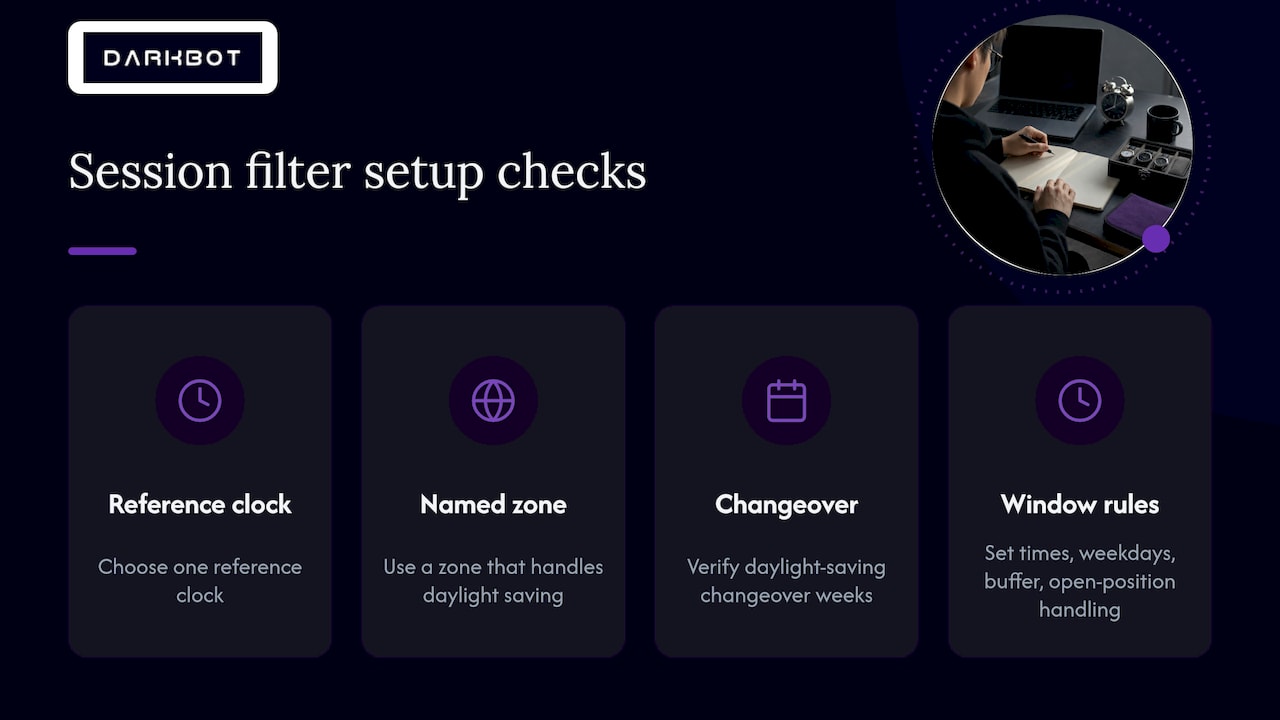
Most filter errors are configuration errors, not strategy errors. Check these four points.
Pick one reference clock
UTC does not change with the seasons. If you define windows in UTC, they are stable in absolute terms, but the local-clock meaning shifts twice a year for people and venues that observe daylight saving. If you define windows in a local zone, the wall-clock time stays fixed while the UTC time moves. Apathia’s trading-hours documentation describes this behavior: zones with daylight saving keep their wall-clock times, so 08:30 Chicago stays 08:30 Chicago all year, UTC does not shift, and a strategy saved without a zone uses UTC.
Use named zones, not fixed offsets
If your window follows a market that observes daylight saving, such as the New York open, use a named zone. TradingView’s Trading Sessions documentation recommends IANA notation such as America/New_York over a fixed GMT offset, because the named zone adjusts automatically for daylight saving and for historic and future time-zone boundary updates. It also notes that when the field is empty the indicator uses the IANA zone of the exchange for the symbol on the chart, which may not be the zone you meant.
Expect the shift in changeover weeks
ThinkMarkets notes that during daylight saving the local labels shift by one hour in London, New York and Sydney, and advises confirming exact times on your platform during changeover weeks. In the US, the clocks change in March and November, and Europe changes on different dates, so there are short periods when the London/New York overlap is an hour shorter or longer in local terms. Decide in advance whether your window follows the clock or the liquidity.
Write down the rule completely
A complete rule specifies the time zone, start and end, days of the week, buffer, and what happens to open positions at the end. For example: “Entries allowed 13:15–16:45 UTC, Monday to Friday; open positions follow their normal stop and target rules.” If you cannot write the rule in one sentence like that, the bot cannot execute it consistently.
Testing whether the filter helps
The core question is whether the filtered version of a strategy performs better after costs than the unfiltered one. A session filter always reduces the number of trades, so lower gross profit is expected. What you are checking is the quality of the trades that remain.
Step 1: Backtest both versions on the same data
Run the strategy without a filter, then with each candidate window, over the same period and pair. Use a period long enough to include trending and sideways markets, and include at least one daylight-saving changeover. Record trade count, average result per trade, maximum drawdown and the share of trades that fall inside each session.
Step 2: Subtract realistic costs
Compare results net of exchange fees and slippage, not gross. Slippage is the difference between the price you expected and the price you got, and it tends to be larger when the order book is thin. A window that looks better only before costs has not shown anything. Because the session effect in crypto may be small, cost assumptions can decide the result, so use your actual fee tier and a conservative slippage estimate.
Step 3: Guard against overfitting
If you test twenty windows and keep the best one, you have likely found noise. Limit candidates to a few that you can justify in advance, such as the overlap, London only and New York only. Then confirm the chosen window on a period that was not used to select it.
Step 4: Paper trade before using funds
Paper trading runs the rules against live prices without risking capital. It exposes configuration problems that a backtest hides: the wrong time zone, a missing buffer, or an exit rule that does not behave as intended at the window boundary. Only after the filter behaves as written should it control real orders.
Step 5: Review on a schedule
Market structure changes. Review the filter periodically, for example each quarter, by comparing the trades it allowed with the ones it blocked. If the difference disappears, remove the filter rather than keep a rule that no longer has a reason.
Where the filter fits among other risk controls
A session filter is one rule in a larger framework. It does not replace position sizing, stop placement, a daily loss limit or exchange-level API permissions. A reasonable order of priority is to define risk per trade first, then the entry logic, then the time gate. For a small account, say $100 to $1,000, the gate has a specific value: fewer trades mean fewer fees, which weigh heavily on small position sizes. For a trader with limited hours, it means the bot is active mainly when the setup was designed to run.
If you run several bots or accounts, the filter lets each strategy keep its own window, so a breakout bot and a range bot do not trade the same hours by default. Our guide on step-by-step strategy setup for automation covers how to structure the rules around it, and the overview of multi-exchange integration explains how the same logic can operate across venues with different liquidity patterns.
Darkbot and rule-based time windows
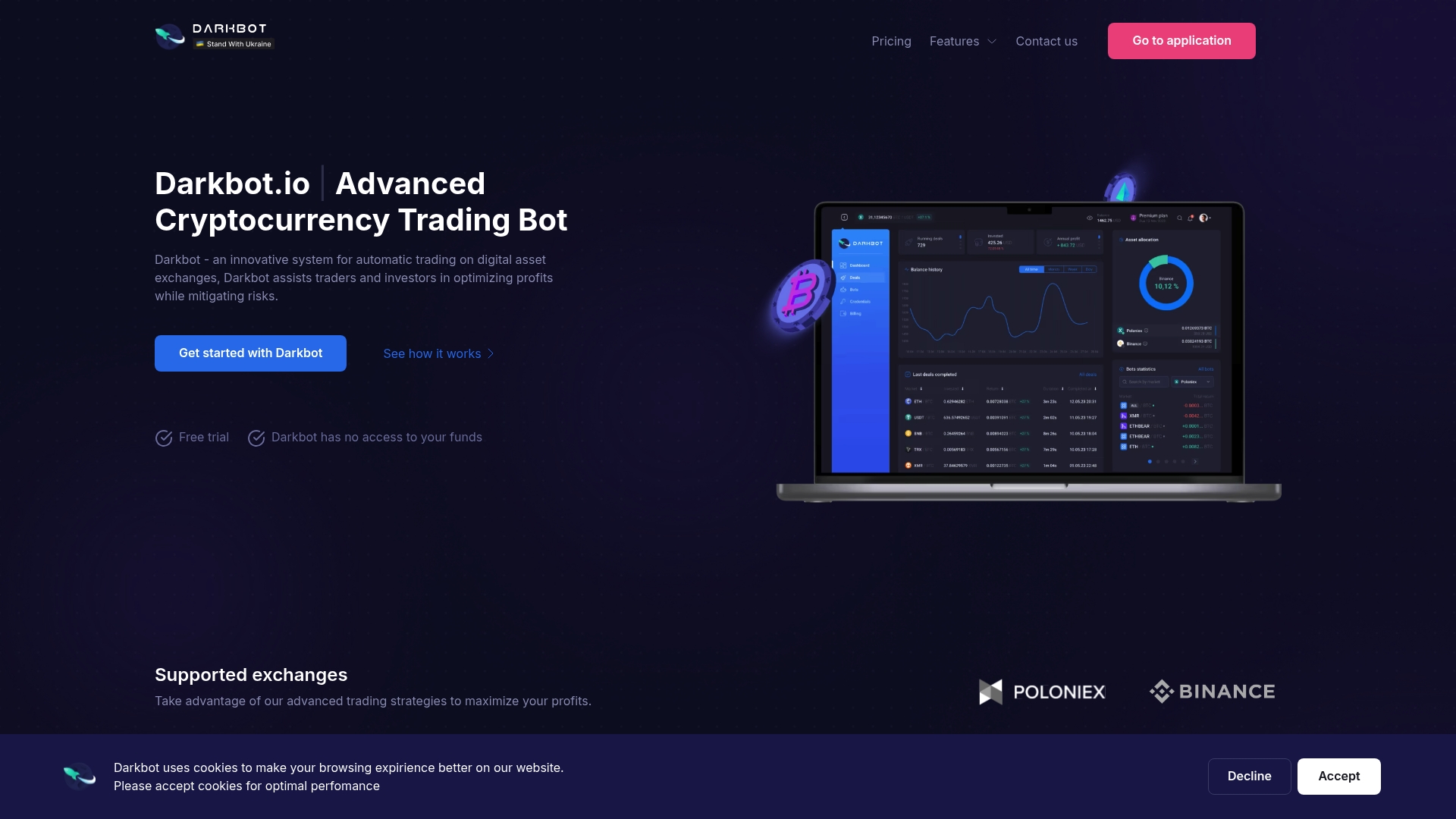
Darkbot is an AI-based crypto trading automation platform, not a signal provider. It connects to supported exchanges through API keys and executes strategies you define, with strategy customization, backtesting, paper trading, multiple simultaneous bots, risk management tools and real-time analytics. Those are the components a session-filter test needs: a way to state the rule, a historical comparison, a live-data rehearsal and ongoing monitoring. Here AI serves consistency and rule-driven adaptation, not prediction.
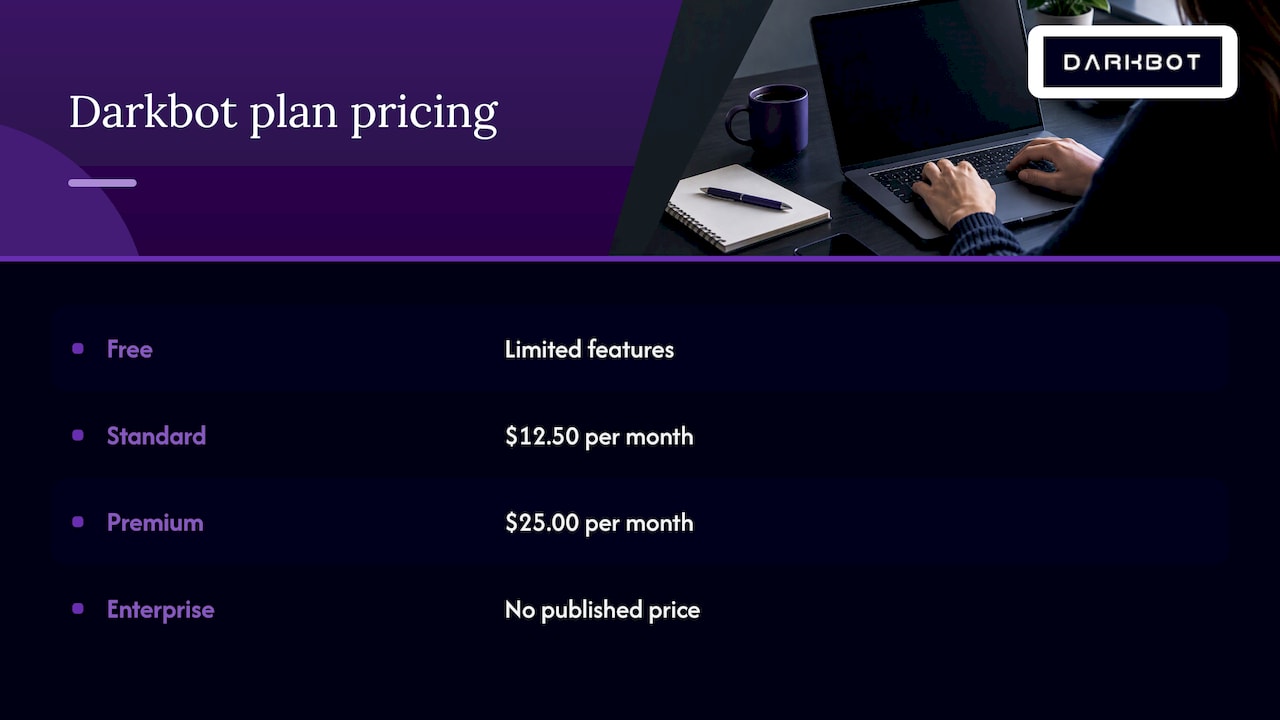
The Free plan lets you start with limited features. The Standard Plan is $12.50 per month and the Premium Plan is $25.00 per month. Enterprise is available without a published price, and a 14-day money-back guarantee applies. Current plan details are on the Darkbot pricing page.
For wider context on why systematic execution matters, see 7 key advantages of automated trading for crypto traders.
Our perspective
A session filter is a good example of what systematic trading is about: replacing a habit with a written rule. Many traders already trade only at certain hours, but they do it by feel, and feel changes with mood and workload. A written window, a stated time zone and a defined exit make the behavior repeatable and therefore testable.
We also think the filter should earn its place. In crypto the session effect can be modest, so the right question is not whether London hours are better, but whether your strategy, on your pair, net of your costs, behaves differently inside the window. That is a measurement, and it is why we build around strategy customization, backtesting and paper trading before live execution.
AI has a narrow, useful role here: applying rules consistently, evaluating patterns probabilistically and adapting within limits you set. It does not remove the need for a clear rule and a risk limit. Start with the rule.
Grisha
FAQ
What is the difference between a session indicator and a session filter?
An indicator displays session boxes or lines on a chart so you can see where each session starts and ends. A filter acts on that information: it allows or blocks entries, and sometimes forces exits, according to the window. For automation you need the second behavior.
Does a session filter work for crypto, which trades 24/7?
It can, but the effect is likely smaller than in forex. Tenth Meridian’s research found crypto the least session-dependent of the asset classes it tested. Test the filter on your own pair with fees and slippage included, and keep it only if the filtered results justify it.
Should I define sessions in UTC or in local time?
Use UTC for a stable absolute window. Use a named IANA zone such as America/New_York if the window should follow a market’s local open, because the named zone handles daylight saving automatically. Avoid fixed offsets such as GMT-5 for windows that must track a daylight-saving market.
What are the London and New York session hours in UTC?
Published references list London as 08:00–17:00 UTC and New York as 13:00–22:00 UTC, with the overlap at 13:00–17:00 UTC. Local clock labels shift by an hour during daylight saving, so confirm the times on your platform around changeover weeks.
How do I test a session filter before using real money?
Backtest the strategy with and without the window on the same data, net of fees and slippage, then confirm on a separate period. Finish with paper trading to check that the time zone, buffer and exit behavior work as written.
Sources
- Trade Session Filter, Trendoscope
- Session Filter, StrategyNodes Docs
- Market Sessions API, TickAtlas
- Market Hours and Trading Holidays, ThinkMarkets
- Trading Sessions, TradingView
- Trading hours, Apathia
- How Can Session Filters Change the Trade Sample?, Tenth Meridian
Recommended

Start trading on Darkbot with ease
Come and explore our crypto trading platform by connecting your free account!
Free plan available • No credit card required