Bot Alerts Setup: A Reliable Alert Chain for Crypto Trading

A bot alert setup has four parts: a condition that defines when an alert fires, a message that says exactly what to do, a channel that delivers it, and a risk layer that limits what happens if any of those parts misfires. Build and test them in that order, on paper trading first. An alert you cannot trace from trigger to result is a source of unplanned orders, not a source of discipline.
This guide covers the process for traders who use TradingView alerts, Telegram notifications or both, and who want an automated platform to act on rules instead of reacting by hand. At each step it shows what the step requires and where it usually goes wrong.
TL;DR
- An alert is only a rule written down. Define the condition, trigger frequency and expiration before you touch any webhook or channel.
- TradingView webhooks send an HTTP POST to your URL, require two-factor authentication on the account, and accept only ports 80 and 443.
- Never put credentials or passwords in an alert message. Keep exchange API keys scoped, and restrict them by IP address where the exchange allows it.
- Test on paper trading, read the alerts log, and recreate an alert whenever the strategy behind it changes.
- Telegram is a notification channel, not an execution engine. Use it to see what the system did, and keep order logic in the platform.
What a bot alert actually is
In trading automation the word “alert” covers two different things, and mixing them up causes most setup errors.
The first is an information alert: a message to you that something happened (price crossed a level, an order filled, a bot paused). You read it and decide.
The second is an instruction alert: a message sent to software, usually as a webhook, that tells a bot to act. Nobody reads it in real time, so its wording, its trigger rules and its limits matter far more.
A webhook, in plain terms, is an automatic message one service sends to a web address you specify when an event occurs. TradingView, the charting platform many crypto traders use, can send one each time an alert triggers.
Darkbot is an AI-based automation platform, not a signal provider. It is built around systematic execution and structured risk control, so the useful question is not “which alerts will tell me what to buy” but “which rules do I want executed consistently, and how will I know they ran.” The setup below follows that framing.
Step 1: Define the condition before the channel
Start in the alert configuration, not in the messaging app. According to TradingView’s alert configuration guide, an alert has these settings:
- Symbol: the instrument the alert watches.
- Condition: either a price alert or a technical alert based on an indicator, strategy or drawing tool, with an operator and input values.
- Trigger frequency: once, every time, once per bar close, or once per minute.
- Expiration: a date, or open-ended.
- Message: a text field that can include placeholders for variable values.
The choice that most often changes outcomes is trigger frequency. A condition such as “price crosses above a moving average” can flip several times inside one candle. With a trigger of “every time,” each flip sends a message. With “once per bar close,” the alert waits until the candle finishes and evaluates the final state. For rule-driven execution, bar-close triggers reduce duplicate and reversed signals, at the cost of acting later within the candle. That is a trade-off you set deliberately, not a default you accept.
A short worked example for a swing trader:
- Symbol: BTCUSDT on the 4-hour chart.
- Condition: the 50-period average crosses above the 200-period average.
- Trigger: once per bar close.
- Expiration: open-ended, reviewed monthly.
- Message: a structured instruction (see Step 2), not a free-text note.
Write the rule in one sentence before you build it. If you cannot, the alert is not ready to automate.
Step 2: Write the message as data, not as a note
When TradingView triggers a webhook alert, the alert message becomes the body of the request. TradingView’s webhook documentation states that if the message is valid JSON, the request is sent with an application/json content-type header, and otherwise as text/plain. JSON is a simple, structured text format of named fields, for example a symbol, a direction and a size.
Two practical consequences follow:
- Receiving software parses valid JSON predictably. A casual sentence like “time to buy” may not be understood at all.
- A single misplaced quote or comma can turn a JSON message into plain text, and the receiver may reject it.
Keep messages minimal. Name the symbol, the action and the strategy identifier, and let the platform hold position size, stop rules and exposure limits. Moving those decisions out of the message means a typo in an alert cannot change your risk.
One rule has no exceptions: TradingView’s documentation warns against putting credentials or passwords in the webhook body. Exchange API secrets never belong in an alert message.
Step 3: Check the webhook limits before you rely on it
If your alerts go to a URL, the receiving side has to meet the constraints that TradingView documents:
| Constraint | What the documentation says |
|---|---|
| Account security | Webhook alerts require two-factor authentication to be enabled |
| Ports | Only 80 and 443 are accepted |
| Response time | Requests are cancelled if the server takes longer than three seconds to respond |
| IP version | IPv6 is not supported |
| Source addresses | POSTs come from four IPs: 52.89.214.238, 34.212.75.30, 54.218.53.128 and 52.32.178.7 |
All of these come from the TradingView webhook guide. Two of them matter in practice. The three-second limit means a receiving service should acknowledge the request immediately and do its work afterward. The source IP list lets you accept requests only from those four addresses and ignore everything else, which is a basic filter against anyone who discovers your webhook URL.
Treat the webhook URL as a secret. Anyone who has it can send it instructions.
Step 4: Connect the exchange with a scoped API key
An alert does nothing until a platform with exchange access acts on it. That access comes through an API key, a credential pair that lets software place orders on your account without your password. Our guide to API key integration walks through the connection itself.
The security principles are consistent across exchanges:
- Grant only trading permission. Leave withdrawal permission off. A key that cannot withdraw cannot move funds out, even if it leaks.
- Restrict by IP where the exchange supports it. A key that only works from approved addresses is much harder to misuse. See our note on IP security support among exchanges.
- Use separate keys per bot or account. If one is revoked, the others keep running.
- Rotate keys on a schedule and after any suspected exposure.
For a deeper explanation, read what API key security means in automated crypto trading and the overview of crypto trading bot security.
Where this goes wrong: traders often reuse one broad key across tools. When something misbehaves, they cannot tell which system placed an order. One key per purpose gives you an audit trail.
Step 5: Set up Telegram notifications

Telegram is the most common delivery channel for crypto alerts because it is fast, works on every device and needs no server of your own. Its role should stay limited: it tells you what happened.
The basic sequence:
- In Telegram, open the account named BotFather and create a new bot. Telegram’s official tutorial explains that you issue the /newbot command and follow the prompts to receive a token, a string that authenticates your bot, which can also be revoked at any time through BotFather.
- Add the new bot to a private chat or a group, and send it a first message so it can see the conversation.
- Connect the token and chat to the system that sends notifications.
- Send a test message and confirm it arrives where you expect.
The token is a credential. Treat it as you would an API secret: never paste it in a public channel or a screenshot, and revoke it if it is exposed.
For community owners, educators and anyone who shares activity with a group, our guide to automating trading in Telegram crypto communities covers how the channel fits into a wider workflow.
Decide what deserves a notification
Too many messages train you to ignore all of them. A workable minimum for a systematic setup:
- Order placed, filled or rejected.
- A stop or risk limit reached.
- A bot paused, stopped or disconnected from the exchange.
- An API error or repeated failed request.
Price commentary and every minor indicator change do not belong on the list. If a message does not lead to a decision, remove it.
Step 6: Test on paper before any live order
A new alert chain has at least five points of failure: the condition, the message, the webhook, the receiver and the exchange. Test them together without capital at risk.
Darkbot includes paper trading and backtesting. Backtesting applies a rule to historical data so you can see how it would have behaved. Paper trading runs the rule in current market conditions with simulated funds. Neither predicts future results, but together they show whether the logic does what you wrote, which is what you are testing at this stage. Our walkthrough of strategy setup for automation covers the sequence in more detail.
A test checklist:
- Trigger the alert and confirm it appears in TradingView’s alerts log.
- Confirm the receiving platform logged the same event at about the same time.
- Confirm the simulated order matches the message: symbol, side, size.
- Trigger the same alert twice in a row and confirm the system handles the duplicate as you intended.
- Disconnect something deliberately, such as a revoked paper key, and confirm you get a failure notification.
Only after all five pass should live capital come into the picture, and then at a deliberately small size. For nano-capital and micro accounts, a small size also keeps exchange minimum order rules and fees from distorting what the test shows.
Step 7: Troubleshoot alerts that fail, repeat or misfire
Work from the source toward the destination, not the other way around.
Check the alerts log first. Edgeful’s help center advises opening TradingView’s alerts log to confirm whether an alert fired at all before investigating the webhook. If it did not fire, the problem is in the condition, not in the delivery.
Recreate alerts after changing a strategy. The same source explains that an alert is tied to the indicator settings that existed when it was created. If you edit the strategy, delete the old alert and create a new one. A common cause of “it worked yesterday” is an alert still running on outdated inputs.
Clear duplicates. If conflicting or repeated alerts exist for one ticker, the same guide recommends deleting all alerts for that ticker and setting them up again from scratch.
Then check delivery. If the log shows the alert fired but nothing arrived, review the webhook constraints above: the port, the three-second response limit and two-factor status.
| Symptom | Most likely cause | First check |
|---|---|---|
| Alert never fires | Condition or trigger frequency | Alerts log |
| Fires, no order | Webhook not accepted or message not parsed | Port, JSON validity, response time |
| Two orders for one signal | Duplicate alerts or “every time” trigger | Alert list for the ticker, trigger setting |
| Behavior changed after edits | Alert tied to old settings | Delete and recreate |
| Notification missing | Telegram token or chat link | Send a manual test message |
Step 8: Add risk controls outside the alert
An alert says when. It should never be the only thing that says how much or how long. Place these controls in the platform, where they apply to every signal regardless of how it was generated:
- A fixed maximum position size per trade.
- A cap on total exposure across bots and accounts.
- Stop rules defined in advance.
- A pause condition after a set number of consecutive losing trades or errors.
This separation is the practical reason to use a platform rather than a raw webhook pointed at an exchange script. If a message is malformed, duplicated or sent by someone who found your URL, platform-level limits cap the damage. For optimizing the rules themselves, see our overview of strategy optimization steps.
How Darkbot fits into the chain
Darkbot connects to supported exchanges through API keys and provides customizable strategies, backtesting, paper trading, risk management tools, real-time analytics and multiple simultaneous bots. The plans are listed on the pricing page: a Free plan with limited features, the Standard Plan at $12.50 per month and the Premium Plan at $25.00 per month, plus an Enterprise tier. A 14-day money-back guarantee applies to subscriptions.
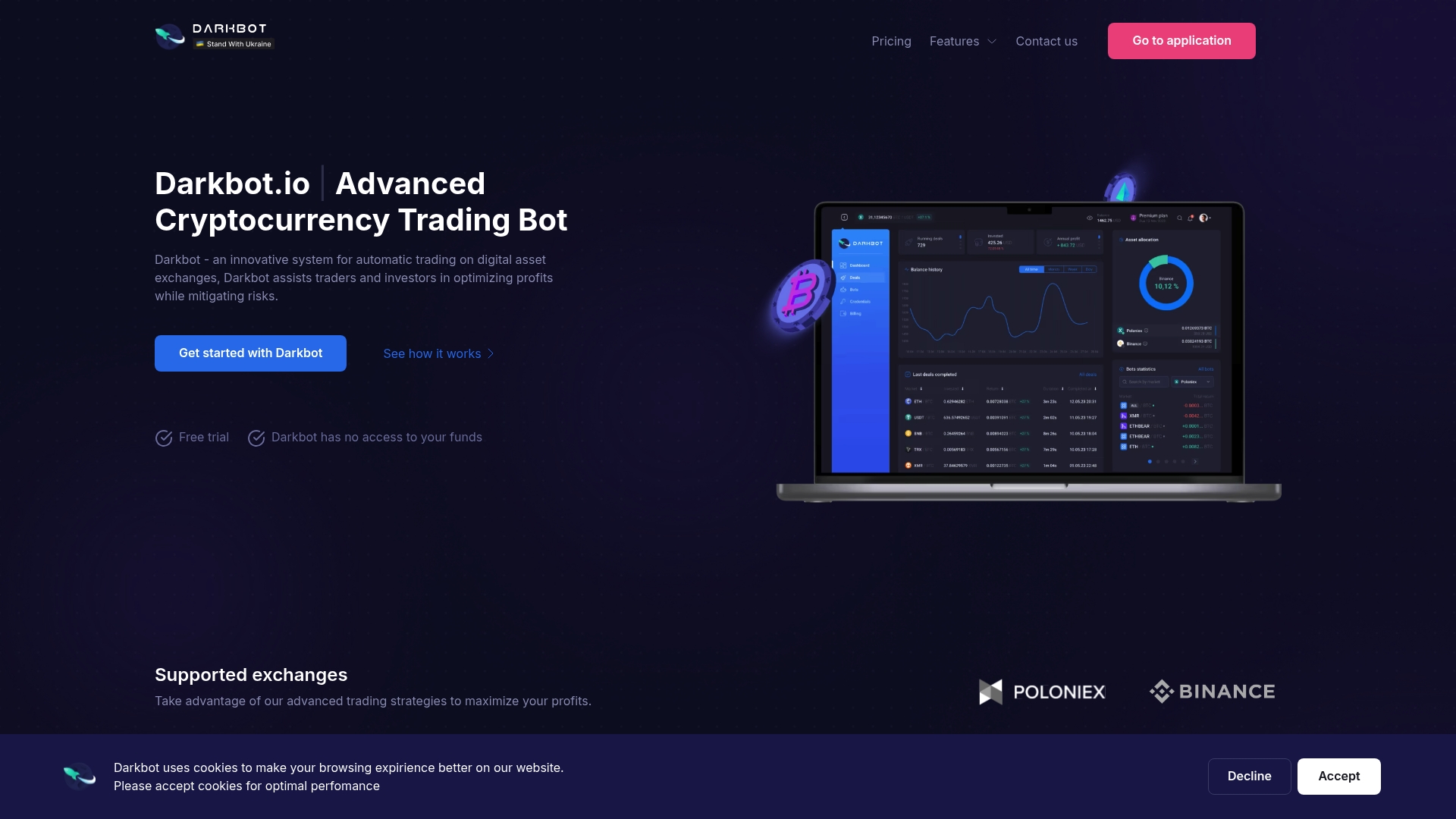
The free tier is a reasonable place to build and verify the chain described here before choosing a paid plan. Our trading bot checklist lists the criteria worth confirming first.
Our perspective
Most alert problems are process problems. Traders spend an hour on the indicator and five minutes on everything after it: the message format, the failure cases, the permissions on the key. Then the first duplicate order teaches them what was missing.
We build Darkbot around the idea that execution should be repeatable. A rule is written once, tested on paper, run with defined risk limits and reviewed through analytics. AI and machine learning in this context mean consistent, probabilistic evaluation of conditions and rule-driven adaptation. They do not mean prediction, and they do not assure any outcome.
The practical advice we give is simple. Keep alerts small and structured. Keep credentials out of messages. Keep risk limits in the platform. Treat every notification as a record of what the system did, not as a prompt to improvise. A setup that you can explain step by step is one you can fix when it breaks.
Grisha
FAQ
Do I need a paid TradingView plan to send webhook alerts?
TradingView’s webhook documentation states that two-factor authentication must be enabled on the account before webhook alerts are allowed. Plan eligibility for webhooks can change, so confirm it on TradingView’s own pricing and support pages before you build around it.
Can Telegram place trades for me?
Telegram delivers messages. A Telegram bot token authenticates a bot on Telegram’s own interface, not on your exchange. Orders are placed by a trading platform connected to the exchange through an API key, and Telegram reports what happened.
Why did my alert fire twice?
The usual causes are a trigger frequency set to “every time,” which can fire repeatedly inside one candle, or several alerts existing for the same ticker. Switching to once per bar close and clearing duplicate alerts resolves most cases.
Is it safe to include my API key in the alert message?
No. TradingView’s documentation warns against placing credentials or passwords in the webhook body. Keep keys inside the trading platform, grant trading permission only, and restrict them by IP address where the exchange supports it.
How should I test a new alert setup?
Run it on paper trading first. Trigger the alert, confirm it appears in the alerts log, confirm the platform received it, and check that the simulated order matches the message. Then repeat with a duplicate and a deliberate failure before using live funds.
Sources

Start trading on Darkbot with ease
Come and explore our crypto trading platform by connecting your free account!
Free plan available • No credit card required