Cloud vs Local Bots: How to Choose a Crypto Trading Bot Setup
A cloud bot runs on a provider’s servers, so it keeps working when your computer is off. A local bot runs on hardware you control, such as a PC, a home server or a rented VPS, so you decide where your exchange credentials live and you also own the uptime. Neither model removes risk. Each one moves it to a different place, and the right choice depends on how much operating work you want to take on and how fast your strategy needs to react.
This guide compares the two models on execution, failure modes, API key handling, cost and maintenance. It ends with a checklist that applies to either setup.
TL;DR
- Cloud bots trade on the provider’s infrastructure, so there is nothing to install, patch or keep powered. Local bots run on your own machine, which gives you direct control and puts uptime on you.
- The main security difference is where exchange API keys are stored: on the provider’s servers (cloud) or in your own environment (local).
- Latency matters mainly for sub-hourly strategies. For daily and four-hour timeframes, the difference rarely changes outcomes.
- Whichever model you pick, use withdrawal-disabled, least-privilege API keys, predefined loss limits and a manual kill switch.
- Match the model to your time, technical skill and strategy timeframe, not to a general preference.
What each model actually means
The terms are used loosely, so it helps to define them by where three things happen: where the software runs, where the credentials sit, and who responds when something breaks.
Cloud bot (hosted SaaS). The vendor runs the software on its servers. You connect your exchange account through an API key, configure strategies in a web interface, and the vendor’s infrastructure watches the market and submits orders. Your laptop can be closed, offline or in a drawer.
Local bot. The application runs on a machine you own or rent. That can be a desktop, a small single-board computer or a virtual private server (VPS) that you administer yourself. The trading logic executes there, and the keys stay there.
A VPS sits between the two. It is remote and always on, like the cloud, but you install, secure and maintain the bot, like a local setup. For the purposes of responsibility, treat it as a local deployment in a data center.

How each model executes trades
Both models do the same job: read market data, evaluate rules, send orders through the exchange API. The difference is the path and the dependencies.
In a cloud model, the chain runs through the provider: exchange data arrives at their servers, their engine evaluates your strategy, and their system sends the order. Your own device and home internet are not part of the chain. What matters is the provider’s uptime and how it handles load.
In a local model, the chain runs through your hardware: your device, operating system, router, internet provider and power supply. A hosting comparison from a trading-bot infrastructure publisher lists the usual weak points: laptops that sleep, routers that reboot, consumer IP addresses that change, and automatic updates that restart a machine at the wrong time. Those are mundane problems, but a bot that is not running places no orders.
Latency in practice
A local machine, or a VPS placed close to the exchange, can have lower network delay than a remote service that adds its own processing hop. That is a real advantage when a strategy reacts to moves measured in seconds or less.
Most retail strategies do not work at that scale. If your bot evaluates conditions on a four-hour or daily candle, a difference of tens of milliseconds is far smaller than the slippage you will see from normal order book depth. Latency becomes a selection criterion only for sub-hourly or high-frequency logic. For everyone else, reliability and risk control matter more than speed.
What happens when something goes offline
The failure question is the most useful way to compare the two, because it shows who can see the problem and who can fix it.
| Failure | Cloud bot | Local bot |
|---|---|---|
| Your computer shuts down or sleeps | No effect | Bot stops running |
| Home internet drops | No effect on the bot | Bot loses data and cannot submit orders |
| Provider infrastructure incident | Automation pauses until the provider recovers | No effect |
| Misconfigured setup or failed update | Handled by the provider’s team | You diagnose and fix it |
| Who can inspect the failure | The provider’s operations team | You, directly |
Two points follow from this table.
First, outage risk does not disappear in either model. In a cloud setup, it is concentrated in the vendor, where a dedicated operations team is responsible for recovery. In a local setup it is distributed to you, and your automation is independent of any vendor incident but depends on your own reliability and your ability to notice and respond.
Second, an outage rarely cancels what is already on the exchange. When a bot stops, open orders and positions generally stay active on the exchange side. The bot may stop receiving data, applying logic or updating its state, but the exposure remains. This is why your incident plan should include checking the exchange account directly, confirming exposure, and restarting in a controlled way after reconciling the bot’s records with the exchange’s.
A further distinction applies to both models: a running process is not the same as a working strategy. A bot can report that it is up while it trades on stale prices, while an authenticated data stream has died, or while orders are being rejected. Measure reliability end to end: data freshness, decision timing, order status, fills, risk controls and alerts. A good alerting setup matters more than the hosting model.
Security and API key exposure
The security difference comes down to custody. A cloud bot needs your exchange API key stored on the provider’s servers so it can trade on your behalf. A local bot keeps the key on your own computer. Each has a different failure profile:
- Cloud: credentials are held by a third party. The security of the key depends on how the provider stores, encrypts and isolates it, and on the provider’s own operational discipline.
- Local: credentials stay with you, which removes the vendor as custodian. The trade-off is that you are now responsible for the device, its operating system, its patches and anything else running on it. A poorly secured machine can be compromised just as a server can.
So self-hosting is not automatically safer. It changes who is responsible. Many individual traders are better at evaluating a provider’s published security practices than at hardening a server, while others are the opposite.
API key settings that apply to both models
The permissions you grant the key matter more than where it is stored. The same rules hold for any setup:
- Disable withdrawals. A bot that trades does not need permission to move funds out. A leaked withdrawal-enabled key can send funds out of the account, while a leaked read-only key cannot trade at all.
- Grant the minimum permissions. Read and trade, nothing more, on a dedicated key created only for the bot.
- Use an IP allowlist where the exchange supports it. Note that this can lock out a bot if its IP address changes, which is common on home connections and relevant when you move a bot between hosts.
- Rotate keys on a schedule and immediately after any suspected exposure.
- Never reuse the key across tools.
Least privilege limits how much damage a leaked key can cause, but a trade-enabled key can still lose money through bad settings, exchange errors or market movement. Permissions do not replace risk limits.
For more detail on how we think about key handling, see our guides on API key security in automated trading and IP restrictions on exchange keys.
It also helps to confirm that any site where you enter credentials or connect an account is legitimate. Checking a platform’s domain and reputation signals before signing up is part of verifying crypto services and communications, and it applies to bot providers, exchanges and anyone contacting you about your account.
Cost, setup and maintenance
The cost structure differs more than the totals do.
| Factor | Cloud bot (SaaS) | Local or self-hosted bot |
|---|---|---|
| Cost shape | Recurring subscription | Hardware or VPS fee, electricity, plus software licensing if any |
| Setup | Create an account, connect an API key, choose a strategy | Install, configure, secure and test the software and host |
| Updates and patches | Handled by the provider | Handled by you |
| Monitoring | Provider monitors infrastructure | You build alerts and watch the host |
| Technical skill | Low | Moderate to high |
| Time cost | Low and predictable | Variable, spikes when something breaks |
The most common comparison error is counting only the sticker price. A local setup that looks free still costs your time for installation, updates, monitoring and troubleshooting, plus the cost of any downtime when the machine is not running. A subscription bundles those tasks into a predictable monthly fee. Neither is automatically cheaper; the question is whether your hours are better spent operating infrastructure or defining and reviewing strategy.
Which model fits which situation
Use the following decision criteria rather than a general rule.
A cloud bot fits when:
- You want to run strategies around the clock without keeping a device on.
- You prefer a configuration interface to writing or maintaining code.
- Your strategies run on timeframes where milliseconds do not matter.
- You have limited time, for example a full-time job or a side-income schedule, and cannot respond to a server problem at 3 a.m.
- You want to run several bots or exchange accounts without managing separate hosts.
A local bot fits when:
- You need custom code or unusual logic that a hosted product does not support.
- You want credentials to stay in an environment you control and are able to secure it.
- Your strategy is latency-sensitive and you can place the host close to the exchange.
- You are comfortable acting as the operator: monitoring, patching and recovering.
These criteria are not mutually exclusive over time. Many traders begin with a hosted bot to learn how automation behaves, then move specific strategies elsewhere if they develop requirements the hosted product does not cover.
Perspective
Our view on hosted automation
Most of the traders we work with are not short of ideas. They are short of consistent execution. A rule that is written down, tested and applied the same way every time is worth more than a faster connection that nobody supervises.
That is why we build Darkbot as a cloud platform. Running the infrastructure, monitoring and updates on our side means your strategy is not tied to a laptop, a home router or a power cut. You keep your attention on the parts that decide results: the rules, the position sizing and the risk limits.
We treat the credential question seriously, because it is the right question. Our design routes orders directly and relies on exchange API keys, which is why we recommend withdrawal-disabled, least-privilege keys and IP restrictions where an exchange offers them. We also favor human oversight: the platform automates execution, and you stay in charge of the decisions.
We use AI and machine learning as a mechanism for consistency, probabilistic pattern evaluation and rule-driven adaptation. It is not a forecast, and no hosting model changes that. The value of a managed platform is that the process runs the same way at any hour, with backtesting and paper trading available to examine logic before capital is involved.
Grisha
A risk checklist for either setup
Hosting choices matter less than the controls you set before going live. A guide to common bot mistakes from Coin Bureau suggests defining risk limits before profit targets. Its example limits are a useful starting template, to be adapted to your own tolerance:
| Control | Example limit |
|---|---|
| Risk per trade | 1% of account equity |
| Daily loss limit | 5% of account equity |
| Consecutive loss limit | Pause after 3 losing trades |
| Maximum exposure to one asset | 20% in a single coin |
| Open positions for a first live test | 1 to 3 |
| Drawdown circuit breaker | Stop if equity falls 10% from the starting balance |
The same guide describes two layers of control: automatic ones such as loss limits, exposure caps and stale-data checks, and a manual kill switch that pauses the bot immediately. Treat the kill switch as part of the system from day one, and know in advance how you would reach it from your phone.
A short operating routine complements these limits:
- Start in paper trading, or with a small allocation, and confirm the bot behaves as configured.
- Create a dedicated API key with trading permission only and withdrawals disabled.
- Set alerts for rejected orders, stale data, hitting a loss limit and the bot going offline.
- Write down what you will do if the bot stops: check the exchange account, review open orders and positions, then restart only after the bot’s records match the exchange.
- Review the logs on a regular schedule, not only when something looks wrong.
For a wider evaluation framework, our trading bot checklist covers the criteria to compare across providers, and our overview of how to automate crypto trading explains the workflow from rules to execution.
Running a cloud bot with Darkbot
Darkbot is a cloud-based automation platform. You connect your exchange through API keys, configure and fine-tune strategies, run several bots at once, and use backtesting and paper trading to examine a setup before committing funds. Portfolio management, automated rebalancing, risk management tools and real-time analytics are part of the platform.
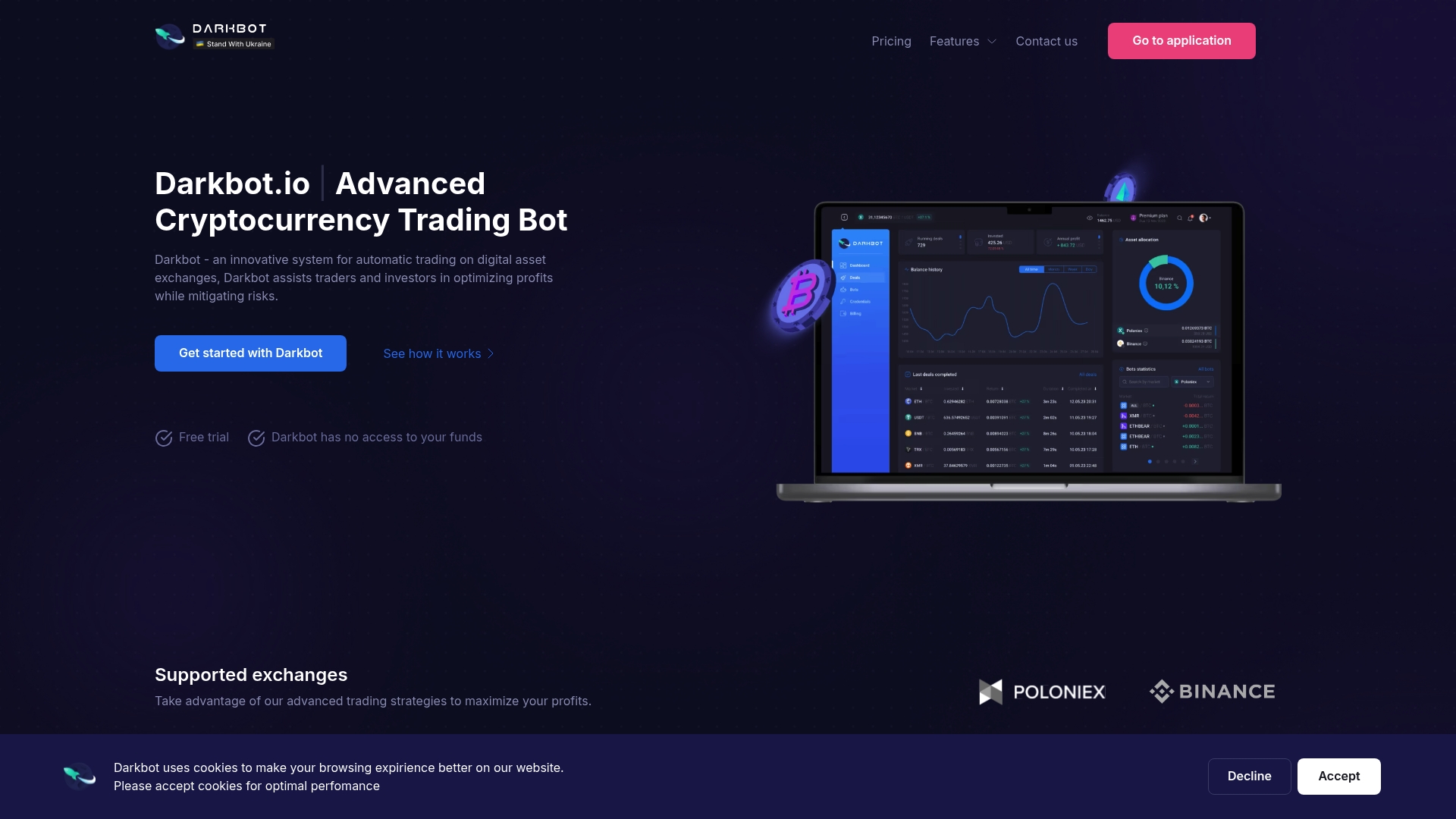
Plans are published on the Darkbot pricing page: a Free plan with limited features, Standard at $12.50 per month, Premium at $25.00 per month, and an Enterprise option. A 14-day money-back guarantee applies to paid subscriptions. The Free plan is a practical way to see how the interface and strategy configuration work before choosing a tier. Our API key integration guide walks through connecting an exchange, and you can see how multi-exchange setups work if you trade on more than one venue.
FAQ
Is a cloud bot safe to use with my exchange account?
Safety depends mostly on how you configure the API key. Create a dedicated key with trading permission only, disable withdrawals, restrict it by IP address where the exchange allows it, and rotate it periodically. These steps limit exposure under any hosting model. Our guide on crypto trading bot security covers the practices in more detail.
Does a cloud bot keep trading if my computer is off?
Yes. In a cloud model the software runs on the provider’s servers, so your device and home connection are not part of the execution chain. Open orders also remain on the exchange regardless of what your own device is doing. You should still set alerts and know how to pause the bot manually.
Does latency matter for my strategy?
It depends on timeframe. For daily and four-hour strategies the difference is small compared with normal slippage and order book depth. It becomes a real factor for sub-hourly or high-frequency logic, where host location relative to the exchange matters.
Which is cheaper, cloud or local?
They are priced differently. Cloud is a predictable subscription. Local combines hardware or VPS costs, electricity and your own time for setup and maintenance. Compare the total cost of ownership, including the hours you would spend operating the setup, not just the visible fee.
Can I move from one model to the other later?
Yes, since both rely on exchange API keys. Create a new key for the new host, update any IP allowlist, confirm that the old key is revoked, and compare the new setup in paper trading or with a small allocation before scaling up.
Sources
- Crypto Trading Bot Mistakes to Avoid Before Going Live, Coin Bureau
- Crypto Trading Bot Hosting: Cloud vs VPS vs Local
- How to Verify Crypto: Transactions and Communications
Recommended

Start trading on Darkbot with ease
Come and explore our crypto trading platform by connecting your free account!
Free plan available • No credit card required